Indiana Special Supplemental Nutrition Program for Women, Infants and Children (INWIC, Nu, Bawhte le Hngakchia caah Pum Thazang Umnak Eidin A Bawmtu Special Program) Mobile App download dingah:
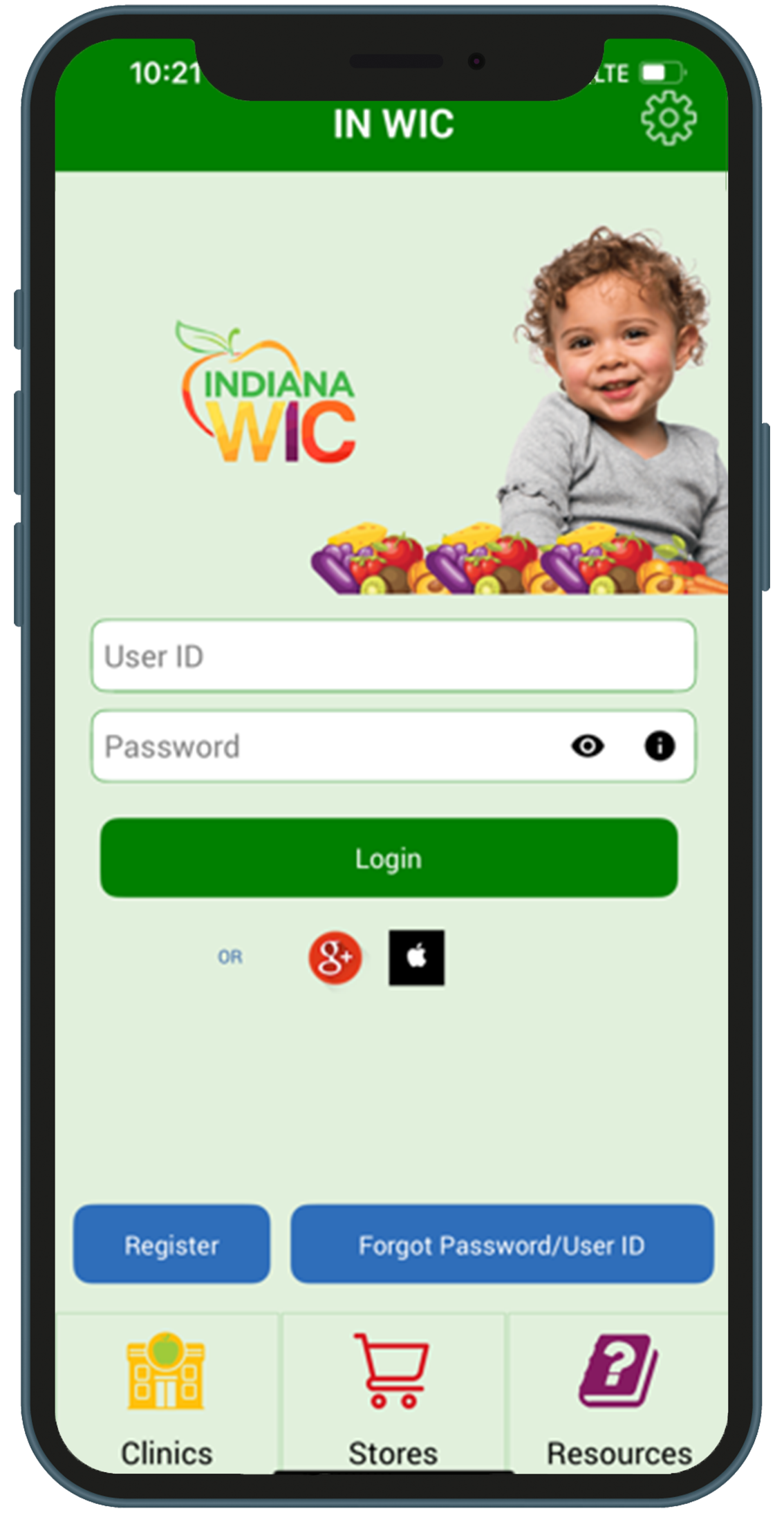
Google Play asiloah App Store ah Indiana WIC asiloah IN WIC tiin kawl hna
Holh Thimnak
App caah holh thim hna: English (thim cia mi) asiloah Spanish
1.Thlalang hmai i a cung orhlei ah Setting icon (serremhnak hmelchunhnak) cu hmet hna
2.Na duhmi holh thim dingcaah thawn hna
3.Fimnak hmetnak (Save button) cu hmet hna
Min Khumhnak
App in min i khumh dingcaah:
1.Luhnak cahmai (aihre kuang) i Min Khumhnak hmetnak cu hmet hna
Na Herhmi Hna:
Na Email
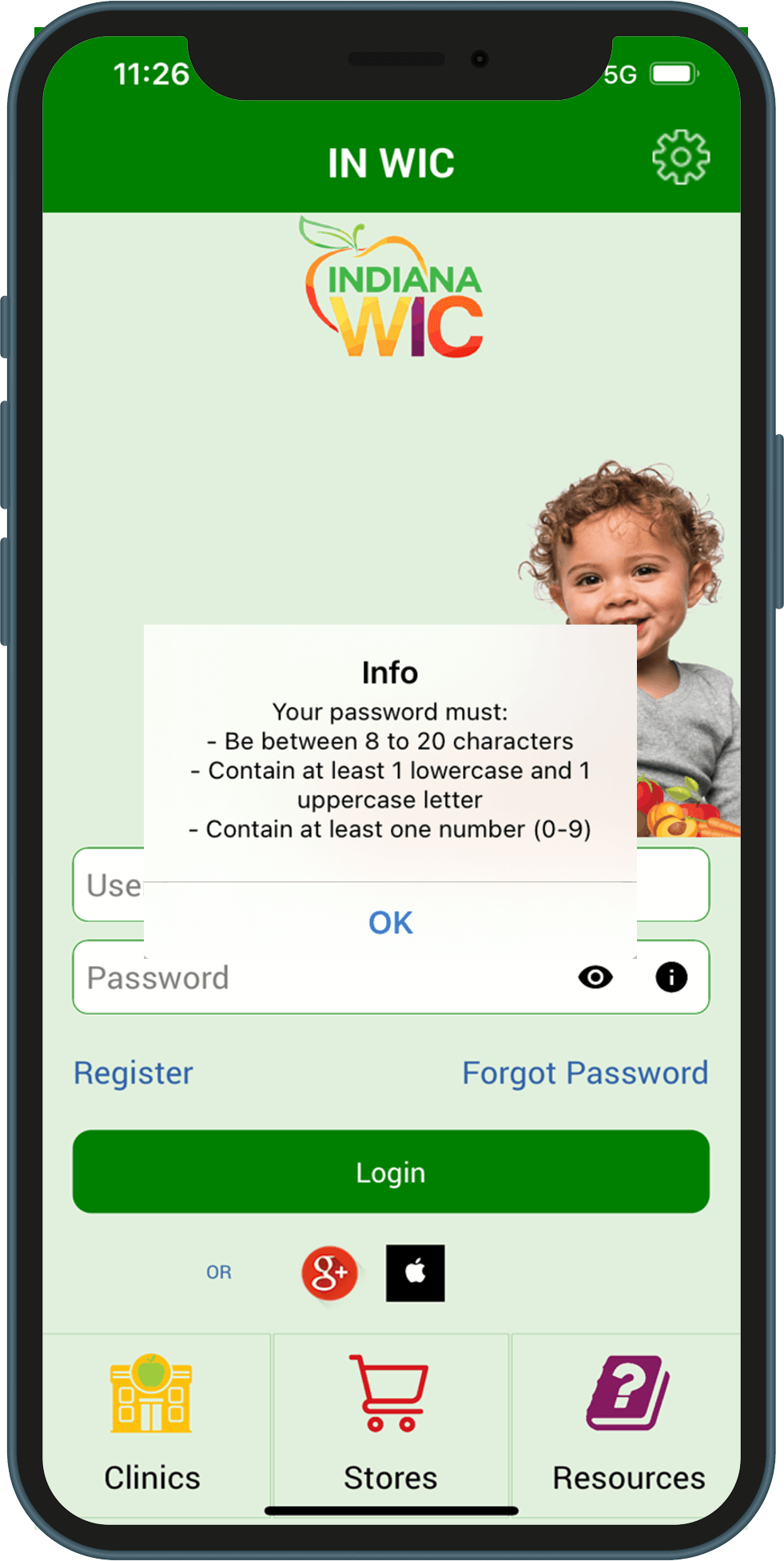
Password – password cu hi tin asi awk asi lai: - Cafang 8 in 20 kar - Cafang a hmemi (a-z) a tlawmbik pa 1 tal - Cafang a nganmi (A-Z) a tlawmbik pa 1 tal - Kanaan (0-9) a tlawmbik pa 1 tal
A Nungmi (active) eWic Card Number
Card Ngeitu Chuahni – hihi cu chungkhar caah Nawlpekmi Aiawhtu i a chuahni asi (MM/DD/YYYY)
Umnak Lam Ca Peknak Code Number
To register with Google+ or Apple ID:
You may register and log in to the INWIC Mobile App using Google+ or Apple ID accounts.
1.On the login page, tap the icon for either Google+ or Apple ID and follow the prompts to enter the requested information.
2.The first time you login with Google+ or Apple ID, you will be prompted to enter your Indiana WIC account information. This registers the account with the Indiana WIC Household record.
Card Ngeitu Chuahni – hihi cu chungkhar caah Nawlpekmi Aiawhtu i a chuahni asi (MM/DD/YYYY)
Umnak Lam Ca Peknak Code Number
Password caah bawmhnak:
Password luh na herh fatin, hitin na tuah hna lai:
1.Na password (aihre kuang) zoh dingcaah mit hmelchunhnak cu hmet hna
2.Na password (aihre kuang) thuh than dingcaah mit hmelchunhnak cu hmet than hna
3.Password caah a herhmi pawl (theithu (orange) kuang) zoh dingcaah thil konglam hmelchunhnak cu hmet hna
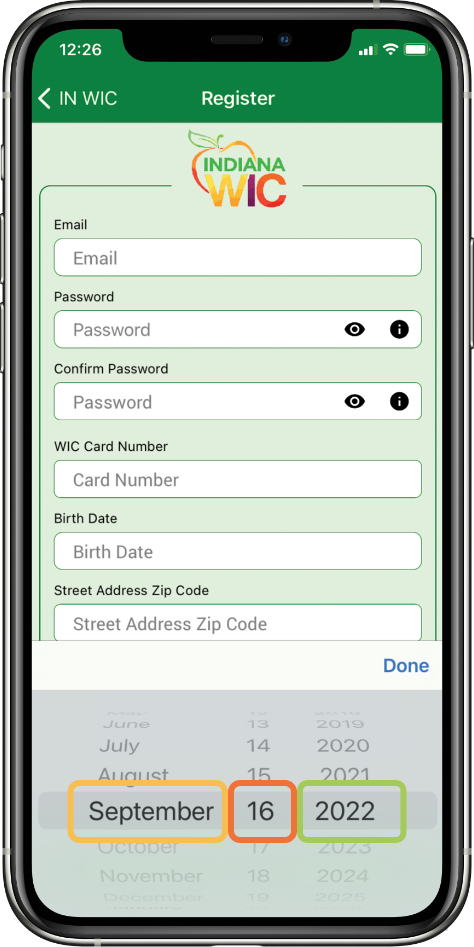
iPhone caah Nicaan Thimnak:
A kum na thim hmasa lai i cu hnu ah a thla le a ni na thim lai.
1.Na herhmi kum (a hring kuang) ah thawn hna.
2.Thla (aihre kuang) ah thawn hna.
3.A ni (theithu (orange) muici kuang) ah thawn hna.
Lam Kawlnak
Thimnak:
A cung kehlei ki i Menu hmelchunhnak nih thim ding a ummi menu pawl a zapi sin ah khulrang in phan khawhnak an pek lai.
Cahmai kip ah orhlei ah thawn in thim ding a ummi menu pawl zapi sin ah phan khawh asi.
Theihternak pawl:
Theihternak na ngei mi a um ahcun a cung orhlei ki i Darkhing hmelchunhnak cu a senmi in aa kulh lai. Thimnak menu in Theihternak cu thim hna.
Ni 7 chung ah tonnak caan (appointment) na lakmi a um ahcun theihternak cu a lang lai.
Na thathnemhnak pawl cu ni 7 chung ah a caan a luan ding asi ahcun theihternak cu a lang lai.
Umnak Hmun Hmelchunhnak:
Na phone lam zohnak app ah siikhaan asiloah dawr umnak hmun langh ter na duh fatin umnak hmun hmelchunhnak cu na hmet khawh hna.
THEIH DING: Android phone pawl ahcun phone asiloah lam zohnak hmelchunhnak hmet hnu in a hlei in cahmai a rak chuak i cu ahcun an lang. Umnak hmun langhter dingcaah “Lam Hmuhsaknak Pawl cu hmet hna. Phone number hmet dingcaah “Phone Chawnh” timi hmet hna.
Phone Hmelchunhnak:
Phone number tial hau loin siikhaan asiloah dawr phone chawnh na duh fatin phone hmelchunhnak cu na hmet khawh.
Thathnemhnak Cahmai:
Thathnemhnak cahmai nih thathnemhnak caan chungah a ngahmi thil vialte cu cahmai a cunglei ah a langh ter. Thil pakhat cio nih cawk khawh asi mi a tangrihmi an zat cio kha an langh ter.
Atulio thathnemhnak caan cu langhter hmasa peng asi.
1.Hmailei caan i thathnemhnak pawl zoh dingah Hmailei Caan (Future) hmetnak cu hmet hna.
2.A hmetngan, a phun, le kampani hmelchunhnak pawl telchih in cawk khawh dingin onhmi pawl zoh dingcaah eidin hmelchunhnak (theithu (orange) muici kuang) cu hmet hna.
3.A Dihmi Tuaknak (Cost Calculator) hman dingcaah Thingthei le Tisik Anhnah hmelchunhnak cu hmet hna. Na thil a man le a ritnak tial hna law, cun a dihmi a tuak lai.
UPC Scan tuahnak:
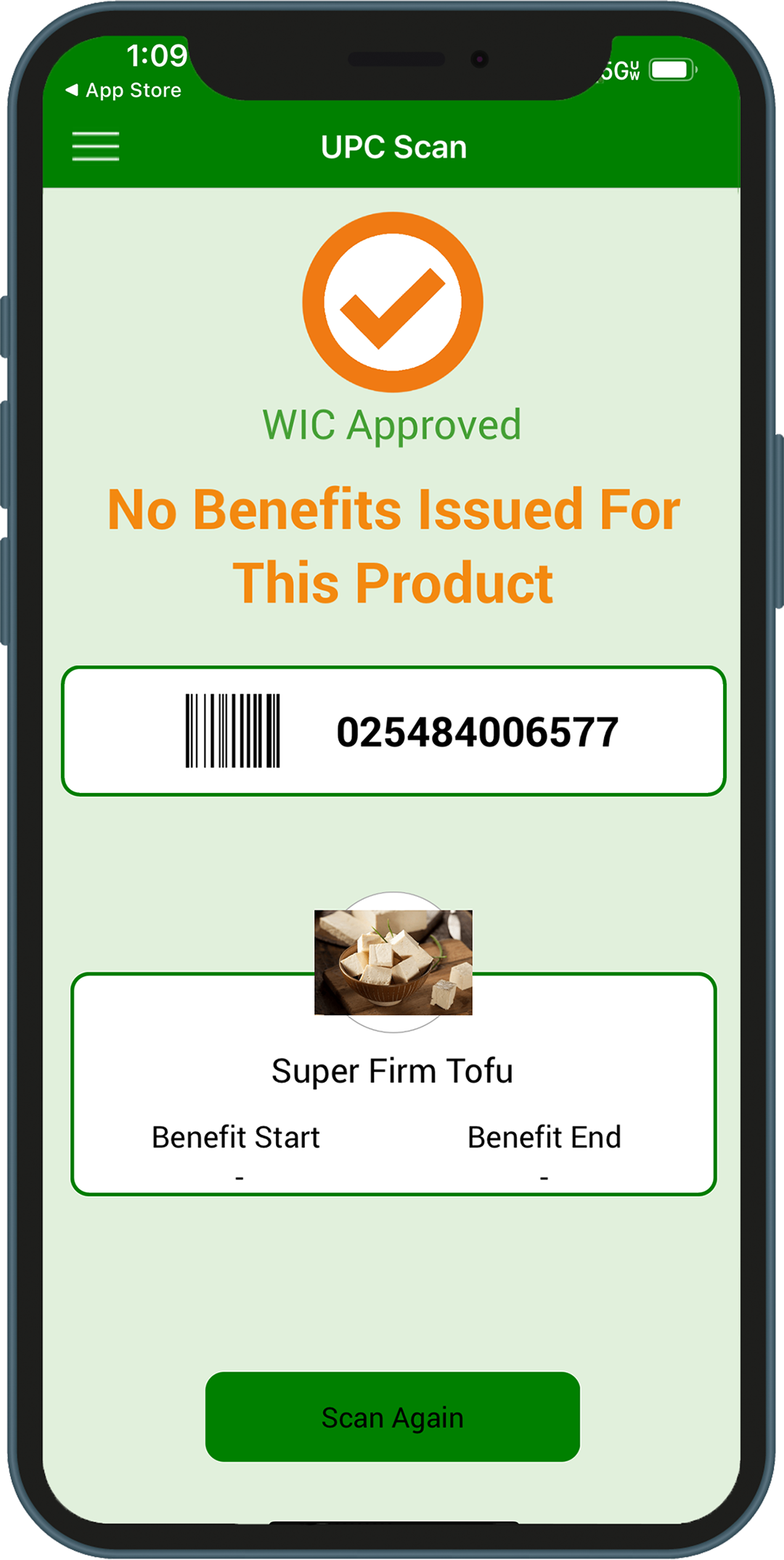
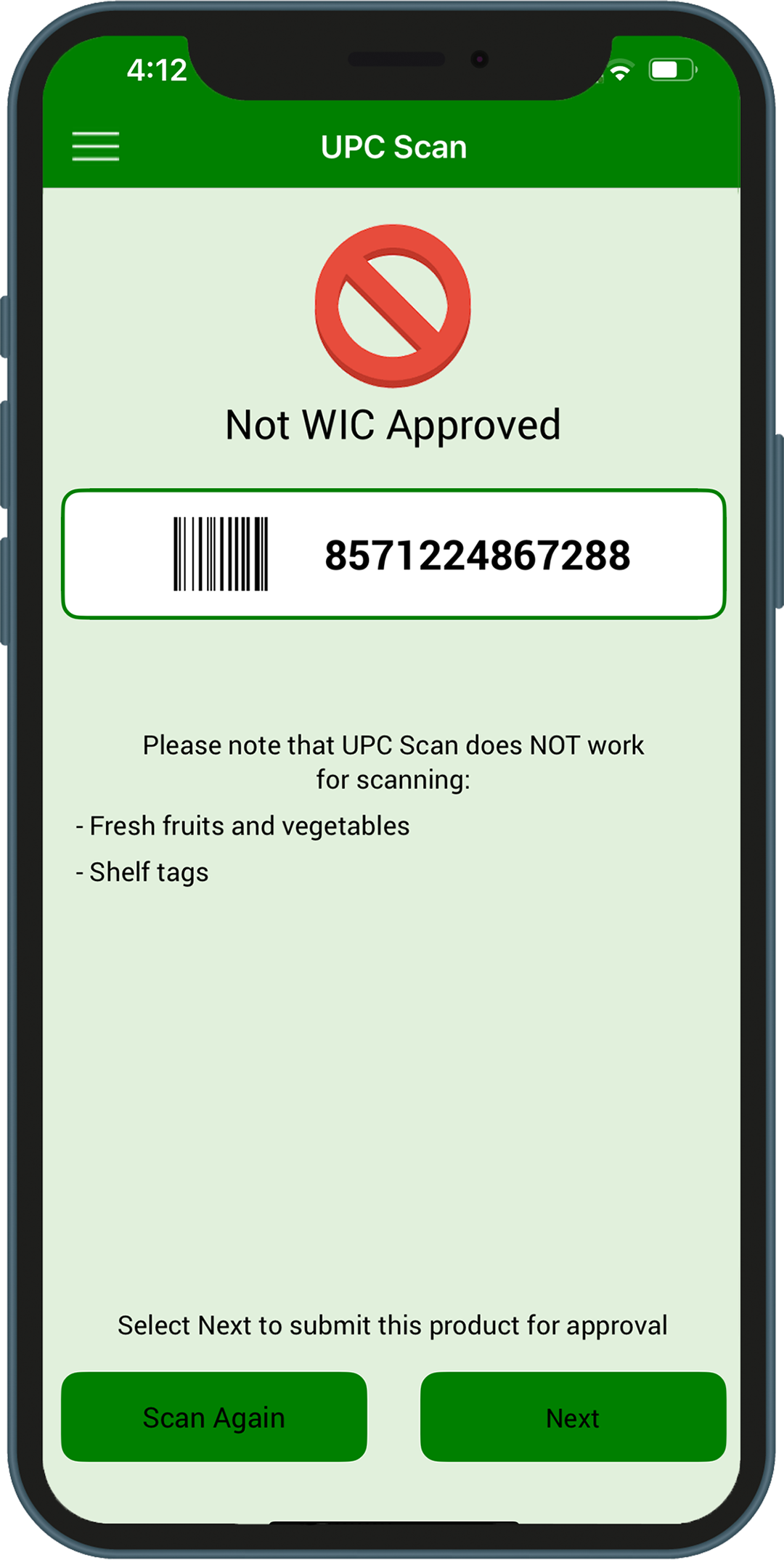
Thil pakhat cu WIC theihpimi asi maw timi le na thathnemhnak ah aa tel maw timi check dingcaah UPC scan tuahnak cu hman hna.
Hi cakuat pathum lak ah pakhat na hmuh lai:
WIC theihpimi asi i na thathnemhnak ah aa tel
WIC theihpimi asi nain na thathnemhnak ah aa tel LO
WIC theihpimi thil asi lo
Hrawl i UPC code ah SILOIN thil a bawm cung i UPC code ah scan tuah hna.
Thil a chuak thar micu UPC code scan tuah khawh asi lai LO. Theihpimi thil pawl zoh dingcaah Thathnemhnak cahmai i Thingthei le Tisik Anhnah hmelchunhnak cu hmet hna.
Submit a UPC
Food items that scan as not WIC approved but are believed to be WIC approved can be submitted to the State WIC vendor team directly through the INWIC Mobile App for review to be added to the WIC approved product list.
From the UPC Scan Not WIC Approved screen, tap Next to begin. Follow the steps in the mobile app to submit the UPC:
Take four pictures of the food item - Product (front of the package) - Package size - Nutrition facts - Ingredients
Enter a product description and then tap the Submit button
Siikhaan le Dawr Kawlnak:
Umnak address asiloah capeknak (zip) code in na kawl khawh
Thim cia mi kawlnak hmun cu khan 5 asi. Cahmai a tang i thawnnak thluan (a hring kuang) hmang in ngan ter khawh (zoom in) asi asiloah hmet ter khawh (zoom out) asi
Chinchiahnak thim (pin) pawl hmetnak nih siikhaan le dawr min a lang lai
Dawr Pawl: Chinchiahnak thim a muici nih dawr a phun a thleidan hna. - A hring – Eidin - A sen – Eidin le/Sii Dawr - Vandum – Sii Dawr lawnglawng - Sen daang – Adang phun vialte
Dawr pawl cu an phun in langh ter khawh an si. Zetnak (Filter) hmelchunhnak (a sen kuang) cu hmet law a langmi na duhmi phun cu check hna.
Thazang Umnak Eidin Kong Fimcawnnak
Thazang Umnak Eidin Kong Fimcawnnak Hmannak caah Khulrang Lamhmuhsaknak
Na phone ah cafang cu hmet ter deuh hna. A luancia ah, hi harnak cu cafang a hmetngan nih asiloah phone ah a langmi nih a cang ter tawn. Phone pakhat cio caah cahmai a hmetngan a tha bik in remh than dingin app cu kan thleng cang, asinain Android phone phunphun hna nih hihi cu zuamcawhnak an si ter.
Android a hmangtu hna caah hi hna hi bawmhnak asi dingmi lamhmuhsaknak cheukhat an si:
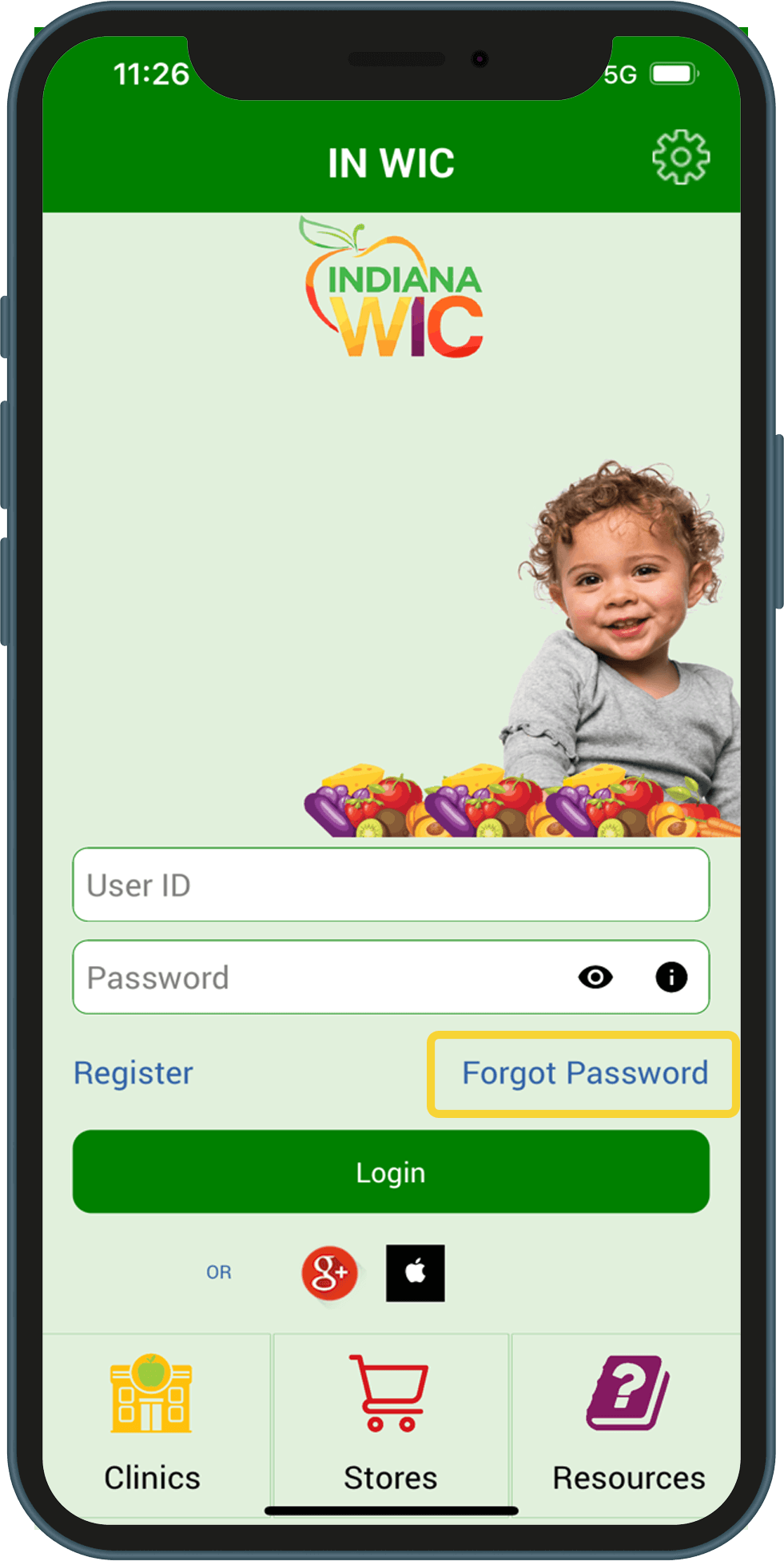
Ka password ka philh. Zeitindah a thar ka thleng lai?
1.Luhnak cahmai i Password Philh hmetnak (theithu (orange) kuang) cu hmet hna
2.Luhnak caah na hmanmi na emial cu tial hna
3.Atanglei pakhat khat hi tial dingin halnak cahmai thar a rak lang lai: – A Nungmi eWIC Card Number – Card Ngeitu Chuahni – hihi cu chungkhar caah Nawlpekmi Aiawhtu i a chuahni asi (MM/DD/YYY) – Umnak Lam Ca Peknak Code Number
4.Password Philh hmetnak (a senmi kuang) hmet hna
Ka password ka theih ko, asinain thlen ka duh. Zeitindah ka password ka tleng lai?
1.INWIC Mobile App ah na lut lai
2.Innpi Cahmai i a cung kehlei ah Menu hmetnak cu na hmet lai
3.Password Thlennak hmetnak cu na hmet lai
4.Atu na hmanmi na password na tial lai
5.Password Thar (New Password) le Password Fehternak (Confirm Password) kuang ah na password a thar na tial lai
For the right breast, lie on your right side with your baby facing you.
Pull your baby close. Your baby’s mouth should be level with your nipple.
In this position, you can cradle your baby’s back with your left arm and support yourself with your right arm and/or pillows.
Keep loose clothing and bedding away from your baby.
Reverse for the left breast.
This hold is useful when:
You had a C-section
You want to rest while baby feeds
You are breastfeeding in the middle of the night
You and your baby are comfortable in this position
Cross-Cradle Hold
For the right breast, use your left arm to hold your baby’s head at your right breast and baby’s body toward your left side. A pillow across your lap can help support your left arm.
Gently place your left hand behind your baby’s ears and neck, with your thumb and index finger behind each ear and your palm between baby’s shoulder blades. Turn your baby’s body toward yours so your tummies are touching.
Hold your breast as if you are squeezing a sandwich. To protect your back, avoid leaning down to your baby. Instead, bring your baby to you.
As your baby’s mouth opens, push gently with your left palm on baby’s head to help them latch on. Make sure you keep your fingers out of the way.
Reverse for the left breast.
This hold is useful when:
Your baby is premature
Your baby has a weak suck
Your baby needs help to stay latched
Your baby needs extra head support
You and your baby are comfortable in this position
Clutch or “Football” Hold
For the right breast, hold your baby level, facing up, at your right side.
Put your baby’s head near your right nipple and support their back and legs under your right arm.
Hold the base of your baby’s head with your right palm. A pillow underneath your right arm can help support your baby’s weight.
To protect your back, avoid leaning down to your baby. Bring baby to you instead.
Reverse for the left breast.
This hold is useful when:
You had a C-section
You have large breasts
You have flat or inverted nipples
You have a strong milk let-down
You are breastfeeding twins
Your baby likes to feed in an upright position
Your baby has reflux
You and your baby are comfortable in this position
Cradle Hold
For the right breast, cradle your baby with your right arm. Your baby will be on their left side across your lap, facing you at nipple level.
Your baby’s head will rest on your right forearm with your baby’s back along your inner arm and palm.
Turn your baby’s tummy toward your tummy. Your left hand is free to support your breast, if needed. Pillows can help support your arm and elbow.
To protect your back, avoid leaning down to your baby. Instead, bring your baby to you.
Reverse for the left breast.
This hold is useful when:
Your baby needs help latching on
You and your baby are comfortable in this position
Laid-Back Hold
Lean back on a pillow with your baby’s tummy touching yours and their head at breast level. Some moms find that sitting up nearly straight works well. Others prefer to lean back and lie almost flat.
You can place your baby’s cheek near your breast, or you may want to use one hand to hold your breast near your baby. It’s up to you and what you think feels best.
Your baby will naturally find your nipple, latch, and begin to suckle.
This hold is useful when:
Your baby is placed on your chest right after birth
You have a strong milk let-down
You have large breasts
You and your baby are comfortable in this position